LoginPress Pro Plugin 6.0.2 + Addons – Best Custom Login Page for WordPress

🧩 Overview – What is LoginPress Pro Plugin?
The LoginPress Pro Plugin is one of the best and most trusted WordPress login customization plugins that lets you completely redesign your WordPress login page — no coding required.
With LoginPress Pro Plugin, you can create a beautiful, secure, and branded login experience for your users. From pre-designed templates to social login, Google reCAPTCHA, and custom CSS — everything is built to make your login page stand out.
If you’re tired of the default WordPress login screen, LoginPress is the perfect solution.
⚙️ LoginPress Pro Plugin – Core Features
Here’s what makes LoginPress one of the top-rated login customization tools for WordPress:
-
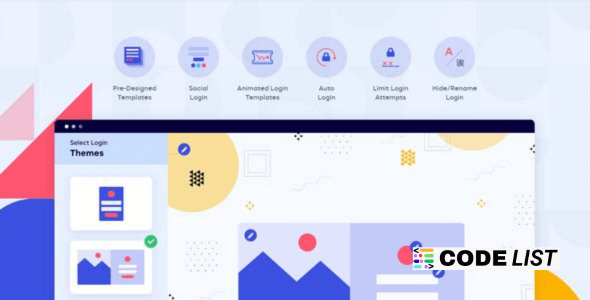
🎨 Pre-Designed Login Templates
Get access to ready-made templates and customize your login screen in one click. -
🖼️ Custom Backgrounds
Add custom images, gradients, or colors to your login page background. -
🔒 Google reCAPTCHA Protection
Prevent bots and spam with seamless Google reCAPTCHA integration. -
⚙️ Custom JS & CSS Support
Add your own JavaScript or CSS for advanced login customization. -
✍️ Custom Error Messages
Personalize login, registration, and forgot-password error messages. -
🧾 Login Form Styling
Style every element of your login form — buttons, labels, colors, and fields. -
🖋️ Custom Footer Texts
Add your copyright or support links at the bottom of the login form. -
🌐 Google Fonts Integration
Make your login page look modern with thousands of Google Fonts. -
🧩 Your Logo on the Login Screen
Upload your own logo, change size, position, and add a link to your site. -
🚀 Auto Login and Social Login
Enable users to log in instantly using social media platforms.
🌟 Why Choose LoginPress Pro Plugin?
Unlike generic login page plugins, LoginPress provides a complete design and security toolkit — everything managed directly from your WordPress dashboard.
💡 Top Advantages:
-
No need for custom PHP or CSS coding.
-
One-click pre-designed templates.
-
Lightweight and fully responsive on all devices.
-
Works perfectly with caching and security plugins.
-
Easy to integrate with any WordPress theme.
LoginPress helps brands create trust from the very first interaction — your login screen.
🧠 How LoginPress Pro Plugin Improves Your WordPress Experience
Your login page is the first point of interaction for admins, authors, and users. With LoginPress, you can:
-
Create personalized login experiences for team members and clients.
-
Protect the login form with reCAPTCHA and auto logout features.
-
Add branding consistency by using custom logos and colors.
-
Track login errors and manage failed attempts with security rules.
-
Save time and enhance UX with one-click styling tools.
This plugin makes WordPress logins not just functional — but beautiful, secure, and user-friendly.
🧩 LoginPress Pro Addons – Extend Your Power
With the official LoginPress Pro Addons, you can unlock even more capabilities:
-
🔄 Login Redirects: Redirect users based on roles or usernames.
-
🌍 Social Login: Allow users to log in using Facebook, Google, or Twitter.
-
🕵️♂️ Auto Login: Simplify admin access without credentials.
-
📧 Limit Login Attempts: Protect against brute force attacks.
-
💬 Hide Login URL: Secure your site by changing the default
/wp-login.phpURL. -
💻 Customizer Addon: Modify every login page element visually.
All addons work seamlessly with the LoginPress core, providing the ultimate login management system for WordPress.
🧰 How to Install LoginPress Pro Plugin
-
Download the ZIP file from the provided link.
-
Go to WordPress Dashboard → Plugins → Add New → Upload Plugin.
-
Upload and activate the LoginPress Pro Plugin.
-
Navigate to LoginPress → Settings in your WordPress sidebar.
-
Customize your login page using the visual interface or addons.
Your fully personalized WordPress login page will be ready in just a few minutes!
⚠️ Download LoginPress Pro 6.0.2 + Addons
Hang on a second. Your direct link is being generated. We do not give any guarantee if any plugin/theme/script contains a virus. Please check on VirusTotal before using it on localhost.
❓ Frequently Asked Questions (FAQ)
Q1: Is the LoginPress Pro Plugin compatible with all WordPress themes?
✅ Yes, it’s compatible with all major WordPress themes and page builders.
Q2: Can I enable social login with this plugin?
✅ Yes, using the LoginPress Pro Addons pack, you can enable Facebook, Google, and Twitter logins.
Q3: Does it work with WordPress Multisite?
✅ Yes, LoginPress supports WordPress multisite environments.
Q4: Is it safe to use custom CSS and JS?
✅ Absolutely, the plugin provides secure input areas for custom styling and scripts.
🧩 Final Thoughts
If you want to create a professional, branded, and secure WordPress login page, the LoginPress Pro Plugin is a must-have.
It not only gives you full control over your login design but also enhances your site’s security and user experience.
With LoginPress Pro Plugin, your WordPress login page becomes a reflection of your brand — elegant, unique, and user-friendly.