Openpos WooCommerce Point Of Sale – Powerful Openpos 8.0.5 Complete POS Plugin for WooCommerce Stores

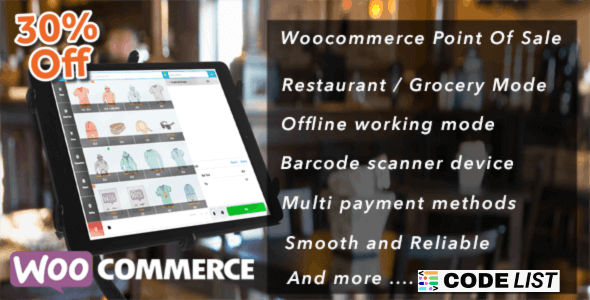
🛍️ Introduction to Openpos WooCommerce Point Of Sale
Managing both online and offline sales can be a real challenge for businesses like restaurants, cafes, salons, and retail stores. But with Openpos WooCommerce Point Of Sale, store owners can easily handle in-store checkouts, inventory, and real-time orders directly from their WooCommerce site — without paying any monthly subscription.
This powerful POS solution integrates seamlessly with WooCommerce, making it the perfect tool for small businesses and enterprises that want to sell smarter, faster, and more efficiently.
🚀 What is Openpos WooCommerce Point Of Sale?
OpenPOS WooCommerce Point Of Sale is an advanced POS plugin that turns your WooCommerce store into a fully functional POS system. It’s designed for businesses that want to manage their physical store sales along with their online store — all in one place.
With this plugin, you can scan barcodes, manage multiple registers, process refunds, offer discounts, accept split payments, and even continue working offline. It’s a one-time purchase, meaning no monthly or yearly recurring costs.
Whether you’re running a retail store, cafe, restaurant, or salon — OpenPOS gives you all the tools you need to simplify your sales and checkout process.
🌟 Top Features of Openpos WooCommerce Point Of Sale
-
🛒 Multi-Cart Checkout: Serve multiple customers simultaneously with saved cart functions.
-
🧾 Real-Time Transaction Reports: Monitor your sales and track every transaction.
-
🍽️ Restaurant Mode: Table management, kitchen view, order merging, and transfers.
-
🏪 Offline Mode: Sell products even without an internet connection.
-
🖨️ Barcode Scanning: Quickly find products by barcode, SKU, or name.
-
📦 Inventory Control: Keep your stock updated in real time across multiple locations.
-
💳 Split Payments: Accept multiple payment methods for a single order.
-
📩 Receipts & Invoices: Print or email receipts instantly.
-
🧮 Multiple Registers & Warehouses: Ideal for businesses with multiple branches.
-
⚡ PWA Support: Run the POS system as a web app on any device.
-
🔐 User Management: Restrict or allow POS login for different employees.
-
🧭 Discounts, Coupons & Refunds: Built-in support for advanced pricing options.
🏪 Businesses That Can Use OpenPOS WooCommerce Point Of Sale
-
🛍️ Retail Stores
-
☕ Cafes & Restaurants
-
🧘♂️ Gyms & Wellness Centers
-
🏥 Clinics & Hospitals
-
💇 Salons & Spas
-
🏪 Supermarkets & Grocery Shops
-
👕 Clothing & Fashion Outlets
Basically, any business that wants to manage in-store sales alongside their online WooCommerce store can benefit from OpenPOS.
🧠 How Openpos WooCommerce Point Of Sale Works
Using OpenPOS is simple and fast. Here’s a quick step-by-step guide:
-
Install & Activate the OpenPOS plugin on your WooCommerce site.
-
Set Up Registers & Users to manage multiple counters.
-
Enable Barcode Scanning or product search for faster checkout.
-
Use POS Dashboard to process orders and manage sales.
-
Sync Sales & Inventory in real time with WooCommerce.
-
Print or Email Receipts for customers instantly.
You don’t need extra hardware or expensive subscriptions. Everything runs on your existing WooCommerce store.
🧭 Why OpenPOS is Better Than Other POS Systems
-
✅ No Monthly Fees – One-time payment with lifetime usage.
-
🚀 Seamless Integration – Works directly with WooCommerce.
-
📊 Real-Time Inventory – No manual syncing or updates needed.
-
📱 Runs on Any Device – Desktop, tablet, or mobile.
-
🧾 Complete Control – You own your POS system.
Most POS systems require cloud hosting, extra fees, or third-party integrations. With OpenPOS, everything is built inside your WooCommerce — making it fast, secure, and budget-friendly.
📥 Download Openpos WooCommerce Point Of Sale + Addons
⚠ Note: We do not guarantee if any theme/plugin/script contains a virus. Please verify on VirusTotal before using.
🔗 Related Posts
❓ Frequently Asked Questions (FAQ)
1. What is Openpos WooCommerce Point Of Sale?
It’s a WooCommerce POS plugin that lets you manage in-store sales, inventory, and payments directly from your website.
2. Does it work offline?
Yes, OpenPOS works in offline mode. All sales will sync automatically once the internet is back.
3. Which businesses can use OpenPOS?
Retail shops, cafes, restaurants, salons, supermarkets, gyms, and more can use it.
4. Do I need to pay monthly fees?
No. It’s a one-time purchase with lifetime usage.
5. Does it support barcode scanning?
Yes. You can scan products with any barcode device or even your phone camera.
6. Can I use multiple registers?
Absolutely. OpenPOS supports multiple registers and warehouses, ideal for large businesses.
7. Does it support discount and coupon features?
Yes, you can add discounts, coupons, and offer split payments easily.
🧭 Final Thoughts
If you want to grow your WooCommerce store and bring a professional in-store experience to your customers, then Openpos WooCommerce Point Of Sale is the perfect solution. It’s fast, secure, feature-packed, and works without monthly fees.
From barcode scanning to offline mode, from restaurant management to retail checkout — everything is built to give business owners full control over their sales.
Whether you run a single store or manage multiple branches, this POS system will save you time, reduce errors, and make your business more efficient.