WooCommerce Bookings Appointments PluginHive 5.2.3 – Powerful Complete Booking System for WordPress

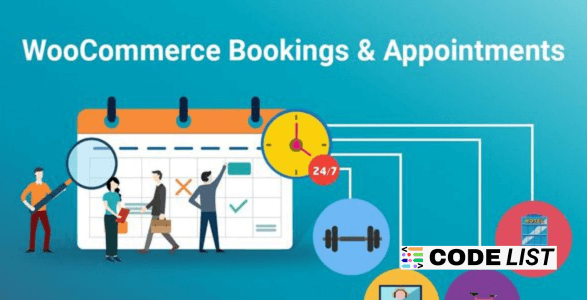
WooCommerce Bookings And Appointments 5.2.3 – PluginHive Complete Booking System
Running a service-based business means dealing with appointments, cancellations, time slots, staff availability, pricing rules, and customer reminders. Managing all this manually becomes a hassle as your business grows. This is where WooCommerce Bookings Appointments PluginHive 5.2.3 becomes the perfect booking solution for WordPress sites.
Whether you run a salon, spa, hotel, coaching center, consultancy, medical clinic, rental service, or any appointment-based business — this plugin simplifies the entire scheduling process. It turns your WooCommerce store into a fully automated appointment-booking system with advanced tools like Google Calendar sync, staff management, buffer time controls, email alerts, and flexible pricing.
✅ What Makes WooCommerce Bookings And Appointments So Powerful?
PluginHive has designed this system to be flexible for all industries. You can create bookings based on time slots, specific days, multiple days, or even months. Customers can choose their preferred time, view availability, and book instantly — without needing any manual approval (unless you enable it).
Let’s break down the top capabilities of this plugin.
✅ Key Features of WooCommerce Bookings And Appointments 5.2.3
1. Fully Flexible Booking Durations
The plugin allows multiple duration formats:
-
Minutes
-
Hours
-
Days
-
Months
You can also set minimum and maximum booking durations — perfect for rentals or multi-day services.
Example:
Users can book minimum 2 days and maximum 8 days.
2. Multiple Appointments per Slot
Allow multiple customers to book the same time slot until capacity is reached. This is useful for:
-
Coaching sessions
-
Online classes
-
Group tours
-
Fitness sessions
3. Booking Approvals & Cancellations
You have full control:
-
Auto-approve bookings
-
Manual admin approval
-
Allow cancellations before a specific time
-
Automated cancellation notifications
4. Convert Calendar to Accommodation Booking
Hotels and rentals can enable:
-
Per-night booking
-
Check-in and check-out display
-
Occupancy settings
-
Seasonal pricing (via rules)
5. Automated Email Notifications
Both users and admin receive email alerts for:
-
New bookings
-
Booking confirmations
-
Cancellations
-
Reminder emails before scheduled time
6. Dynamic Cost Calculation
Prices can automatically change depending on:
-
Number of people
-
Time duration
-
Day of week
-
Seasonal rates
-
Custom pricing rules
7. Staff Management
You can add unlimited staff and manage:
-
Staff availability
-
Staff holidays/leaves
-
Separate pricing per staff
-
Assign bookings to different staff
This makes it ideal for salons, spas, consultants, and training centers.
8. Google Calendar Sync
All bookings can sync automatically to:
-
Admin Google Calendar
-
Staff Google Calendar
Never miss an appointment again.
9. Advanced Availability Controls
You get full flexibility:
-
Restrict bookings last minute
-
Allow only specific days for booking
-
Mark weekdays as unavailable
-
Block time slots on specific dates
-
Create booking windows (start/end ranges)
10. Participants / People / Items Pricing
Perfect for:
-
Tour bookings
-
Group activities
-
Family packages
-
Multi-participant events
You can add:
-
Participant names
-
Participant pricing
-
Quantity-based pricing rules
✅ Benefits of Using WooCommerce Bookings And Appointments
-
Fully automated booking workflow
-
Reduces manual scheduling work
-
Helps avoid double bookings
-
Smart staff management
-
Quick calendar-based booking experience
-
Increases customer convenience
-
Boosts productivity and revenue
-
Integrates seamlessly with WooCommerce
✅ How to Use WooCommerce Bookings (Step-by-Step)
-
Install the plugin
-
Create a booking product
-
Select booking duration (hours, days, etc.)
-
Add staff and availability
-
Set pricing rules
-
Enable Google Calendar sync
-
Publish the booking product
-
Customers book appointments directly from your site
Simple, fast, and professional.
✅ Monetization Opportunities
You can earn money by offering:
-
Paid bookings
-
Premium staff-based appointments
-
Seasonal pricing
-
Rental packages
-
Tour booking upgrades
-
Add-on items
Perfect for businesses wanting an automated income stream.
✅ Download Section WooCommerce Bookings Appointments PluginHive
NULLED VERSION NOTE:
Hang on a second. Your direct link is being generated.
We do not give any guarantee if any theme/plugin/script contains a virus.
Please check on VirusTotal before using it.
✅ Related Posts
-
https://codelists.org/jetappointment-wordpress-appointment-plugin/
-
https://codelists.org/booknetic-wordpress-booking-plugin-scheduling/
-
https://codelists.org/book-your-travel-wordpress-theme-8-19-60/
✅ FAQs
1. Does this plugin support Google Calendar sync?
Yes, all bookings can sync automatically to staff and admin Google Calendars.
2. Can customers book multiple days at once?
Yes, the plugin supports multi-day bookings and extended stays.
3. Does it support staff assignment?
Yes, you can add unlimited staff and set availability for each.
4. Can admins approve or reject bookings?
Yes, the admin can enable manual approvals.
5. Is this plugin suitable for hotels?
Absolutely — it supports per-night booking, check-in, check-out, and accommodation features.