Duplicator Pro WordPress Backup Plugin 4.5.24 – Fast, Secure & Easy Site Migration

🧩 Duplicator Pro 4.5.24 – WordPress Backup and Migration Plugin
Managing WordPress websites can be challenging when it comes to backups and migrations. But with Duplicator Pro WordPress Backup Plugin, you can easily backup, clone, or migrate your entire WordPress site with just a few clicks. Whether you’re moving to a new host or protecting your site data, Duplicator Pro makes everything fast, secure, and simple.
🚀 Why Use Duplicator Pro?
Duplicator is not just another backup plugin — it’s a complete migration and backup toolkit. It helps you duplicate, move, or restore your entire WordPress site without any technical skills. Let’s look at why it’s a favorite among professionals:
-
✅ Fast and secure website backup
-
✅ Easy migration wizard
-
✅ Automatic scheduled backups
-
✅ Cloud storage support (Dropbox, Google Drive, OneDrive, Amazon S3, FTP)
-
✅ AES-256 encryption for data security
-
✅ Full multisite compatibility
⚙️ Key Features of Duplicator Pro WordPress Backup Plugin
🔁 1. Automatic Backup Scheduling
Set and forget your backups! With Duplicator Pro’s automatic backup scheduler, your website is backed up regularly without manual effort.
📂 2. Cloud Storage Integration
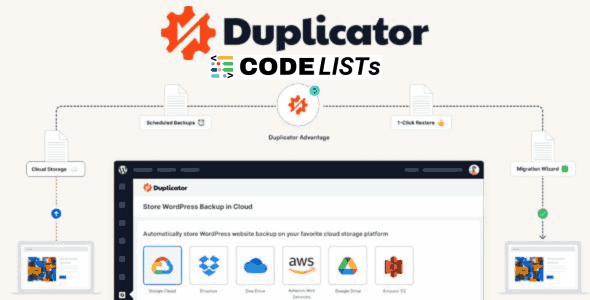
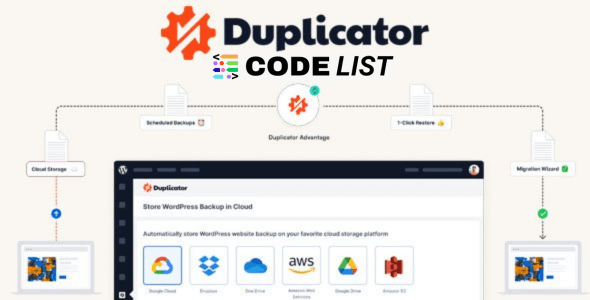
Back up your WordPress site directly to Dropbox, Google Drive, OneDrive, Amazon S3, or any S3-compatible service.
💡 3. Recovery Points
Quickly roll back your site in case of a failed update or plugin conflict. Recovery Points make restoring previous versions simple and fast.
💻 4. Server-to-Server Import
Migrate sites directly from one server to another — no need to download large files locally.
🧱 5. Drag & Drop Import
Easily restore or migrate your site by simply dragging and dropping your backup package into your new WordPress install.
🔐 6. AES-256 Secure Encryption
All backups are secured with industry-standard AES-256 encryption, protecting your website from unauthorized access.
🌐 7. Multisite & Shared Database Support
Duplicator supports WordPress Multisite, allowing you to backup or migrate entire networks or individual subsites. Shared database migrations are also supported.
🧠 8. Developer-Friendly Tools
It includes advanced tools like Search & Replace, Regenerate Salts, cPanel Integration, and hooks for developers.
💪 Benefits of Using Duplicator Pro
-
Zero downtime migrations
-
Complete site backup (files + database)
-
Automatic cleanup of old backups
-
Supports large site migrations
-
Instant recovery from crashes or hacks
-
Save storage by limiting backup copies
Duplicator gives you peace of mind — knowing your website is always protected, restorable, and easily movable.
🧰 How to Use Duplicator Pro (Step-by-Step)
-
Install & Activate Duplicator Pro on your WordPress site.
-
Go to Duplicator Pro > Packages > Create New.
-
Choose what to include (files, database, or both).
-
Select your storage location (e.g., Google Drive, Dropbox).
-
Click Build to generate the package.
-
Use the Migration Wizard to restore or move the site.
-
Upload your installer and archive files to the new host.
-
Run the installer, follow on-screen steps, and your site is migrated!
💡 Tip: Always test your backup before making big site changes.
☁️ Cloud Backup Options
Duplicator Pro integrates seamlessly with top cloud providers:
-
Dropbox – Ideal for small-to-medium site backups.
-
Google Drive – Sync and share backups easily.
-
OneDrive – Perfect for Microsoft users.
-
Amazon S3 – Enterprise-grade security & scalability.
-
FTP/SFTP – Directly send backups to your web server.
🔧 Advanced Features
-
Custom Search & Replace for URL updates.
-
Email Alerts for backup completion or failure.
-
Backup Retention Limits to control storage space.
-
Multisite Network Migration support.
-
Developer Hooks & Filters for advanced workflows.
💰 Monetization Opportunities
Running multiple client websites? Duplicator helps agencies and freelancers:
-
Offer paid migration services.
-
Provide scheduled backup solutions.
-
Earn from WordPress maintenance packages using automated backups.
🧩 Use Cases
-
Moving from localhost to live server.
-
Changing your web hosting provider.
-
Creating staging or testing environments.
-
Performing regular scheduled backups for client sites.
🧱 Comparison Table: Free vs Pro
| Feature | Duplicator Free | Duplicator Pro |
|---|---|---|
| Manual Backups | ✅ | ✅ |
| Scheduled Backups | ❌ | ✅ |
| Cloud Storage | ❌ | ✅ |
| Multisite Support | ❌ | ✅ |
| AES-256 Encryption | ❌ | ✅ |
| 1-Click Restore | ❌ | ✅ |
| Priority Support | ❌ | ✅ |
🔽 Download Duplicator Pro WordPress Backup Plugin
⚠️ Note: Hang on a second. Your direct link is being generated.
We do not give any guarantee if any theme/plugin/script contains a virus. Please check it on VirusTotal before using on localhost.
🔗 Related Posts
❓ Frequently Asked Questions (FAQs)
1. What is Duplicator Pro used for?
It’s a premium WordPress plugin used for backing up, cloning, and migrating websites easily and securely.
2. Can I move my site to a new host using Duplicator Pro?
Yes, it supports seamless server-to-server migration.
3. Does Duplicator work with WordPress Multisite?
Absolutely! You can backup or migrate an entire network or subsite.
4. Is Duplicator safe?
Yes. It uses AES-256 encryption to protect your backup archives.
5. How often should I backup my website?
It’s recommended to schedule backups daily or weekly, depending on your site activity.
🏁 Final Thoughts
The Duplicator Pro WordPress Backup Plugin is a must-have tool for anyone managing WordPress websites. It combines speed, reliability, and automation to ensure your data is always safe and easily recoverable. Whether you’re migrating or securing your site, Duplicator does it all — effortlessly.