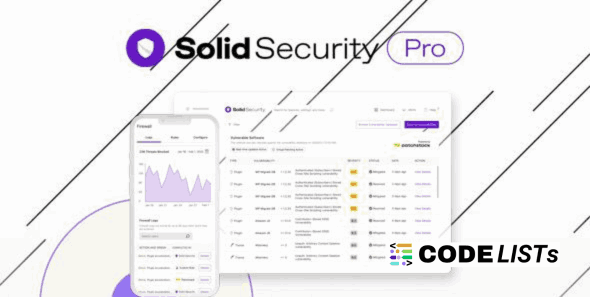
Solid Security Pro WordPress Plugin 8.6.3 – Ultimate Protection for Your WordPress Site

🛡️ Solid Security Pro WordPress Plugin 8.6.3
Introduction
Website security is a growing concern for every WordPress user. The Solid Security Pro WordPress Plugin (formerly known as iThemes Security Pro) offers a powerful, easy-to-use solution that protects your website from brute-force attacks, malware, and unauthorized access. It gives you everything you need to secure your site — without requiring deep technical knowledge.
Whether you’re managing a personal blog, an eCommerce store, or a client site, Solid Security Pro ensures your WordPress environment stays safe, stable, and hacker-free.
🔐 Key Features of Solid Security Pro WordPress Plugin
1. Brute Force Protection
Protect your website against endless password attempts. Solid Security Pro automatically blocks IPs that show suspicious login behavior.
2. File Change Detection
Whenever a file changes in your WordPress core, plugin, or theme, you’ll get instant alerts — helping you detect and stop malicious code injections immediately.
3. Strong Password Enforcement
Encourage or force strong passwords for all users — including administrators, editors, and authors — ensuring better overall security.
4. 404 Detection
Automatically identify bots or users scanning your site for vulnerabilities by tracking 404 errors, and block them to prevent exploitation.
5. Away Mode
Temporarily disable your WordPress admin access during non-working hours, reducing the chances of unauthorized logins when you’re away.
6. Hide Login & Admin URL
Change the default WordPress login URL (like /wp-admin) to something unique, adding another strong layer of protection from brute-force bots.
7. Database Backups
Create automatic database backups so you can restore your website instantly if anything goes wrong.
8. Email Notifications
Get real-time security alerts directly in your inbox whenever suspicious activity or login attempts are detected.
💪 Benefits of Using Solid Security Pro WordPress Plugin
-
Comprehensive Protection: Shields your entire WordPress setup — core files, themes, plugins, and database.
-
Easy to Use: No coding required; toggle-based interface for enabling features quickly.
-
Improved Site Reputation: Avoid Google blacklist and keep visitors safe.
-
Performance Optimized: Lightweight code ensures your site stays fast while staying secure.
-
Trusted by Professionals: Used by thousands of developers and agencies for client protection.
⚙️ How to Use Solid Security Pro WordPress Plugin
-
Install & Activate: Upload and activate the plugin like any other WordPress plugin.
-
Run Security Check: The built-in setup wizard audits your site and recommends the best security settings.
-
Enable Two-Factor Authentication: Add an extra login layer using authenticator apps or email codes.
-
Configure Backups: Schedule automatic backups weekly or daily.
-
Monitor Security Dashboard: Keep an eye on login attempts, file changes, and blocked users directly from the dashboard.
🧠 Advanced Features You’ll Love
-
Two-Factor Authentication for admin users
-
Passwordless Login for easier and safer access
-
Magic Links for instant logins without passwords
-
User Security Dashboard with detailed insights
-
Version Management for keeping plugins & themes secure automatically
⚖️ Comparison Table: Solid Security Pro vs Other Security Plugins
| Feature | Solid Security Pro | Defender Pro | Wordfence |
|---|---|---|---|
| Brute Force Protection | ✅ Yes | ✅ Yes | ✅ Yes |
| File Change Detection | ✅ Yes | ✅ Yes | ✅ Yes |
| Database Backups | ✅ Yes | ❌ No | ✅ Yes |
| Two-Factor Authentication | ✅ Yes | ✅ Yes | ✅ Yes |
| Hide Login URL | ✅ Yes | ✅ Yes | ✅ Yes |
| Malware Scan | ✅ Yes | ✅ Yes | ✅ Yes |
| Price | Affordable | Moderate | Expensive |
💰 Monetization Opportunities
If you manage multiple client sites, Solid Security Pro WordPress Plugin can become a revenue stream. You can offer “Security Maintenance Packages” that include daily monitoring, malware cleanup, and plugin updates — powered by Solid Security Pro.
🧩 Download Section
⚠️ Note: Hang on a second. Your direct link is being generated. We do not give any guarantee if any theme/plugin/script contains a virus. Please check on VirusTotal before using it on localhost.
🔗 Related Posts
❓ FAQs About Solid Security Pro WordPress Plugin
Q1: Is Solid Security Pro the same as iThemes Security Pro?
Yes, it’s the rebranded version of iThemes Security Pro with improved UI and advanced protection features.
Q2: Does it work with WooCommerce sites?
Absolutely. It fully supports WooCommerce and helps protect login pages and sensitive customer data.
Q3: How often should I run scans?
You can set automatic scans or run them manually any time. Weekly scans are recommended.
Q4: Can I use Solid Security Pro on multiple websites?
Yes, depending on your license type, you can activate it on multiple sites.
Q5: Does it slow down the website?
No, it’s optimized for performance and runs only essential security checks without affecting load speed.
🏁 Final Thoughts
The Solid Security Pro WordPress Plugin stands as one of the most comprehensive tools for WordPress protection. Its balance of simplicity and depth makes it ideal for beginners and developers alike. With automated backups, brute-force defense, and two-factor authentication — your website’s safety is guaranteed.
If you truly care about your WordPress site’s security, this plugin is a must-have.