
Powerful WooCommerce Multi Locations Inventory – MultiLoca 4.2.9 Plugin for Advanced Stock Management

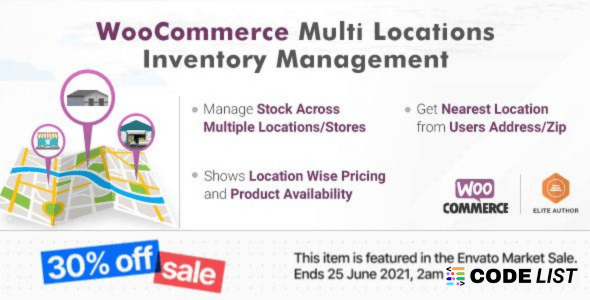
Overview
Running a WooCommerce store with several warehouses or retail outlets demands accurate stock management. The WooCommerce Multi Locations Inventory approach—powered by the MultiLoca 4.2.9 plugin—makes this effortless. Instead of relying on a single stock figure for every product, you can track, assign, and update inventory for each branch or warehouse individually.
The WooCommerce Multi Locations Inventory plugin provides real-time updates, smart geolocation detection, and seamless checkout integration. Whether you operate three city outlets or a nationwide chain, this tool ensures that customers see correct availability and receive fast delivery from the nearest location.
Why Choose WooCommerce Multi Locations Inventory for Your Store
Managing multiple warehouses manually can lead to overselling and customer frustration. By adopting the WooCommerce Multi Locations Inventory plugin, you:
-
Prevent Stock Conflicts: Each location maintains its own product quantities, so online buyers always view accurate availability.
-
Improve Conversion Rates: The plugin can suggest the next nearest location when an item is out of stock, helping you retain sales.
-
Automate Geolocation Assignment: Customers are automatically assigned to the closest warehouse based on their browser location.
-
Enable Flexible Checkout: Buyers can select a preferred store, and the checkout page displays their chosen warehouse.
Key Features
-
Location-Wise Stock Control – Assign separate inventory levels for each branch, warehouse, or retail outlet.
-
Payment & Shipping Zones – Configure location-specific payment methods and shipping areas.
-
Distance Display – Show the distance from a customer to the selected warehouse in kilometers or miles.
-
Location Managers & Emails – Send automatic order emails to designated location managers and assign shop managers for better control.
-
REST API Ready – Retrieve or update stock details for each location through a developer-friendly REST API.
-
Variable & Simple Product Support – Works perfectly with both product types, ensuring full flexibility.
-
Location-Wise Pricing – Offer different prices based on warehouse or city for competitive advantages.
-
Granular Sublocation Management – Create sublocations for complex multi-store operations.
All these features ensure that WooCommerce Multi Locations Inventory remains reliable and scalable for businesses of all sizes.
How WooCommerce Multi Locations Inventory Boosts Customer Experience
Customers today expect fast delivery and accurate product information. WooCommerce Multi Locations Inventory ensures:
-
Accurate Availability – Shoppers instantly know if an item is in stock at a nearby warehouse.
-
Smart Suggestions – If the preferred branch is out of stock, the system automatically recommends the closest available location.
-
Transparent Checkout – The checkout and cart pages clearly show the selected warehouse, eliminating confusion.
-
Seamless Integration – Works within your existing WooCommerce setup without complex configuration.
By using WooCommerce Multi Locations Inventory, you reduce cart abandonment and gain a reputation for reliability.
Step-by-Step Setup Tips
Implementing WooCommerce Multi Locations Inventory with MultiLoca 4.2.9 is straightforward:
-
Install and activate the plugin on your WordPress site.
-
Create individual locations (warehouses, retail outlets, or distribution centers).
-
Assign products and specific stock quantities to each location.
-
Configure location-wise shipping zones and payment methods.
-
Enable geolocation to auto-detect customer location and assign the nearest inventory source.
These steps allow you to start selling with precise WooCommerce Multi Locations Inventory control in minutes.
Download MultiLoca 4.2.9 WooCommerce Multi Locations Inventory Plugin
Note: Hang on a second. Your direct link is being generated. We do not give any guarantee if any theme/plugin/script contains a virus. Please scan the file on VirusTotal before using it on localhost.
FAQ
Q1. Can I assign different prices to each location?
Yes, WooCommerce Multi Locations Inventory allows location-wise pricing for targeted sales strategies.
Q2. Is geolocation automatic?
The plugin automatically detects the customer’s location through their browser and assigns the nearest warehouse.
Q3. Does it support variable products?
Yes, both simple and variable product types work seamlessly.
Q4. Can customers manually choose a location?
Absolutely. Shoppers can select their preferred warehouse on the product page or globally.
Q5. Is REST API included?
Yes, developers can fetch or update stock data per location using the REST API provided.