WordPress Backup Automation – Duplicator Pro 4.5.24.2 – Powerful WordPress Backup and Migration Plugin

WordPress Backup Automation: Duplicator Pro 4.5.24.2 Full Review (Latest Version)
When it comes to securing, migrating, and managing your website, WordPress Backup Automation is no longer a luxury—it’s a necessity. As WordPress sites grow in traffic, data, and performance requirements, having a fast, reliable backup and migration tool becomes essential. This is where Duplicator Pro 4.5.24.2, the latest and most refined version, stands out as one of the most powerful WordPress backup and migration solutions.
Whether you’re a developer, agency owner, freelancer, or regular WordPress user, Duplicator Pro simplifies complex tasks like site migration, automated backups, drag-and-drop restoration, multisite exports, cloud storage integration, encryption, and more. In this article, we break down everything you need to know about the plugin—its features, benefits, automation capabilities, and why it continues to dominate the WordPress ecosystem.
⭐ Why WordPress Backup Automation Matters
Modern websites cannot survive without automation. Manual backups are risky, time-consuming, and often forgotten. WordPress Backup Automation allows your entire site—files, database, media, themes, and plugins—to be saved automatically at scheduled intervals.
This ensures:
-
Protection from accidental data loss
-
Safe recovery from malware attacks
-
Smooth migrations when changing hosting
-
Ability to roll back problematic updates
-
Peace of mind for site owners
With Duplicator Pro, automation is not just an add-on—it’s the core of the system, making it one of the most trustworthy tools in the WordPress ecosystem.
🧩 Duplicator Pro 4.5.24.2 – Key Features
Below are the most powerful features that make Duplicator Pro the best tool for WordPress Backup Automation, migration, and restoration:
1. Automatic Backup Schedule
Create fully automated backups at daily, weekly, or monthly intervals.
No manual clicks. No missed backups.
Ideal for blogs, businesses, and WooCommerce stores.
2. File & Database Table Filters
Filter exactly what you want to back up:
-
Full site
-
Database only
-
Media only
-
Custom files
This selective control increases speed and storage efficiency.
3. Full Multisite Support
Whether you manage a single WordPress site or a full multisite network, Duplicator Pro handles:
-
Entire network backups
-
Sub-site exports
-
Seamless network migration
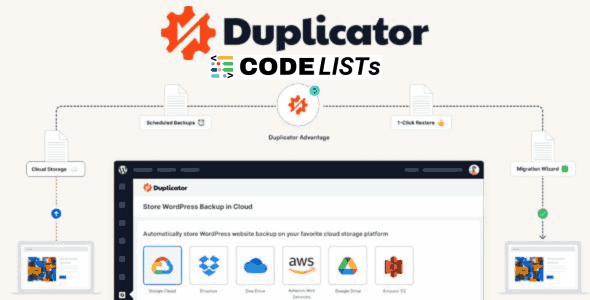
4. Cloud Backup Storage (All Major Platforms Supported)
Store automated backups on your favorite cloud provider:
-
Google Drive
-
Amazon S3
-
Dropbox
-
OneDrive
-
FTP & SFTP
-
Any S3-compatible service
This ensures your backups remain safe even if your hosting is compromised.
5. Large Site Support
Even large WooCommerce stores or high-content websites can be backed up without timeouts or memory issues.
6. Recovery Points
Instant rollback to a previous stable version of the website—perfect for reversing bad updates or plugin conflicts.
7. Server-to-Server Imports
Skip the hassle of downloading packages on your computer.
Import backups directly from:
-
URLs
-
Cloud links
-
Remote servers
This makes migrations ultra-fast and simple.
8. 2-Step Migration Wizard
Duplicator Pro removes the pain from migrations.
Just upload the archive and installer → run the wizard → you’re live.
The plugin handles:
✔ URLs
✔ Paths
✔ Serialized data
✔ Config files
9. Drag & Drop Import
Perhaps the easiest restore method in WordPress.
Just drag your archive into WordPress, and the system instantly overwrites the old site.
10. Secure AES-256 Encryption
Your backups are protected using advanced encryption, ensuring no unauthorized user can access your website data.
11. Shared Database Support
Very useful for shared hosting or multi-application environments where multiple WP installs live on the same database.
12. Email Alerts
Get notifications for:
-
Failed backups
-
Timeout issues
-
Storage limits
-
Successful schedules
This makes WordPress Backup Automation truly hands-free.
13. Managed Hosting Compatibility
Works smoothly with:
-
WordPress.com
-
WPEngine
-
Liquid Web
-
GoDaddy Managed
-
Bluehost
-
Kinsta
14. Unlimited Backup Storage
Define limits for local/cloud backups to prevent storage overload.
🏆 Why Duplicator Pro Leads the WordPress Backup Automation Market
Here are the reasons professionals prefer Duplicator Pro over alternatives:
✔ Faster than UpdraftPlus
✔ Better automation than Jetpack Backup
✔ Easier migration than All-in-One WP Migration
✔ More features per dollar than VaultPress
Its efficiency, ease of use, and enterprise-level reliability make it one of the best tools for safeguarding WordPress websites.
⬇️ Download Duplicator Pro 4.5.24.2 WordPress Backup Automation
Note:
Hang on a second. Your direct link is being generated. We do not give any guarantee if any theme/plugin/script contains a virus. Always scan with VirusTotal before use.
🔗 Related Posts
-
https://codelists.org/duplicator-pro-wordpress-backup-plugin/
-
https://codelists.org/wp-migrate-db-pro-2-7-6-migrating-wordpress-database/
-
https://codelists.org/wordpress-security-hardening-plugin-solid-security/
Frequently Asked Questions (FAQs)❓
1. What is Duplicator Pro used for?
Duplicator Pro is a premium WordPress plugin designed for automated backups, site migration, cloning, and restoration. It helps users securely store website data and move sites between servers or domains with ease.
2. Does Duplicator Pro support WordPress multisite?
Yes, Duplicator Pro fully supports WordPress Multisite. You can back up an entire network or migrate individual sub-sites with complete accuracy.
3. Can I schedule automated backups with Duplicator Pro?
Absolutely. Duplicator Pro includes advanced scheduling features that allow you to automate your backups on daily, weekly, or monthly cycles. This is ideal for maintaining regular WordPress Backup Automation.
4. Does Duplicator Pro store backups on cloud platforms?
Yes. The plugin integrates with major cloud services like Google Drive, Amazon S3, Dropbox, OneDrive, and FTP/SFTP, letting you store backups securely offsite.
5. Is Duplicator Pro safe to use for website migration?
Yes, it’s one of the safest migration tools available. It uses secure AES-256 encryption, handles serialized data correctly, and offers a 2-step migration wizard for smooth and error-free transfers.
🏁 Final Thoughts
In today’s fast-paced digital world, WordPress Backup Automation is essential to protect your online presence. Duplicator Pro 4.5.24.2 offers a complete solution that handles backups, migrations, restores, cloud sync, encryption, and scheduling with unmatched simplicity. Whether you’re running a small blog, a high-traffic portal, or client websites, Duplicator Pro ensures your data is always safe and your migration process remains smooth and error-free.
If you want a plugin that gives peace of mind, enterprise-level security, and hands-free automation, Duplicator Pro is easily one of the best tools you can install on your WordPress site.